MEMO
:
ORIG DATE :
2
LAST REV :
TO : RCC Customers
FROM : Jason Buetow
SUBJECT
: Installing Synergy
Note:
The version number may vary.
- You get this screen:

- Click Next.
- Then you will get this screen:
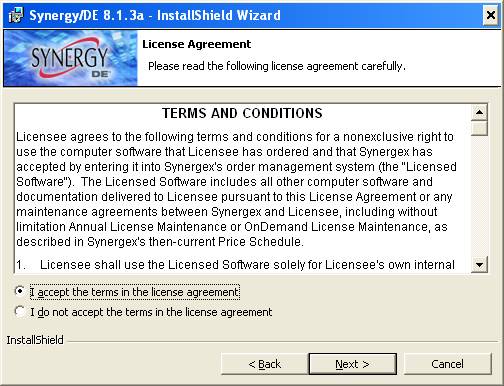
- Accept terms, click next.
- You will then get the screen below with components to be installed and installation path. Make sure you have two components Core Components and Connectivity Series selected for installation. They should come up by default, so you are just confirming. Also make certain installation path is c:\synergyde\. Again, this should also come up by default.
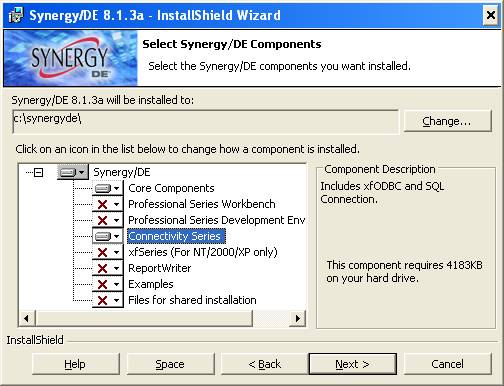
- Once all settings are confirmed, click next.
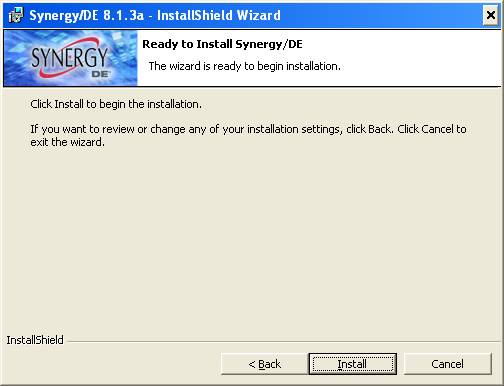
- Click Install.
- You will see a progress screen that will take several minutes.

- During this process you may get a screen that says;� The following services are running and may be stopped: Synergy License Manager.� You can just click ok on that message.
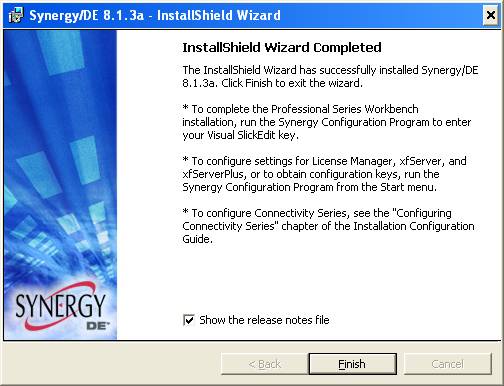
- You can uncheck the Show the release notes file. Then click Finish.
- Done